PRFlow posts one Slack card per merge request and keeps updating that same message as the MR moves through its lifecycle, while review comments join it as threaded replies. The colored rail on the card’s left edge summarizes the state at a glance, so you can scan a channel without reading a single row. The same card and colors apply to GitHub pull requests.
RailStateWhat it means
🔵 BlueUnder reviewDefault state, nothing known to block the merge
🟠 AmberIn fluxDraft, pipeline running, or merge scheduled
🔴 RedBlockedAt least one required merge gate is failing
🟢 GreenReady to mergeEvery required gate is confirmed passing
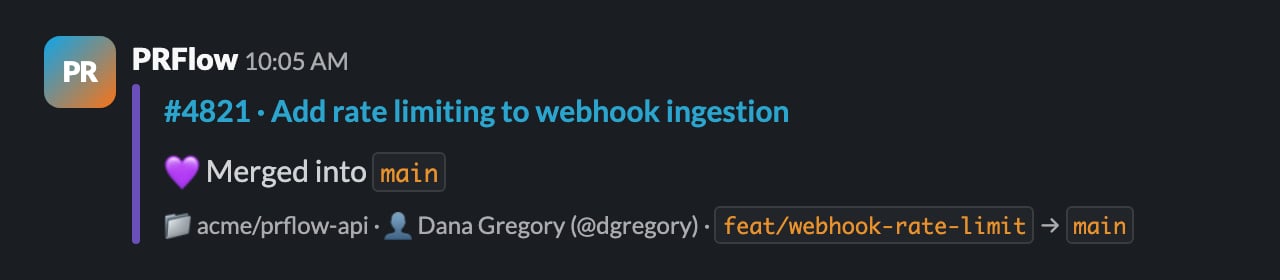
🟣 PurpleMergedTerminal, the MR was merged
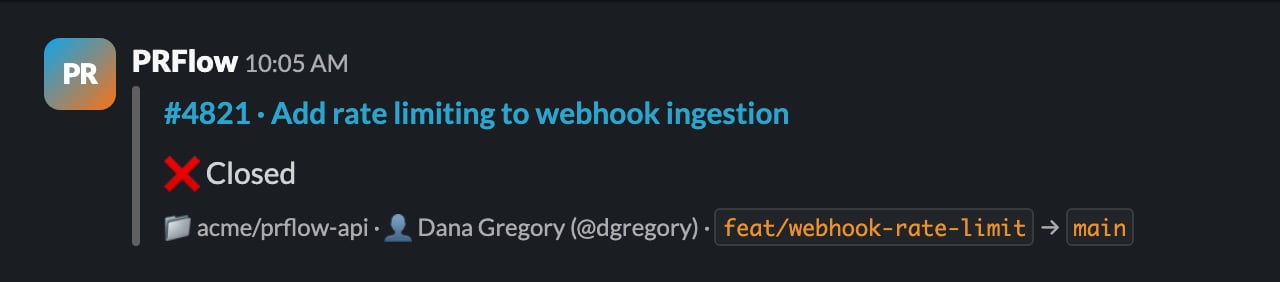
⚫ GreyClosedTerminal, closed without merging

Reading the requirement rows

The card body shows one row per merge requirement that is actually enabled for the repository: required CI, approvals (with the required count), an up-to-date branch, resolved review threads, and merge conflicts. Each row flips independently as events arrive:
  • 🟢 the requirement is confirmed passing
  • 🔴 the requirement is failing and blocks the merge
  • 🔄 in progress right now (a running pipeline)
  • ⚪ pending (a pipeline that exists but has not started)
  • ◻️ unknown, PRFlow has no signal yet; unknown is never treated as passing
The rail color is derived from those rows plus the MR’s lifecycle, as follows.

Blue: under review

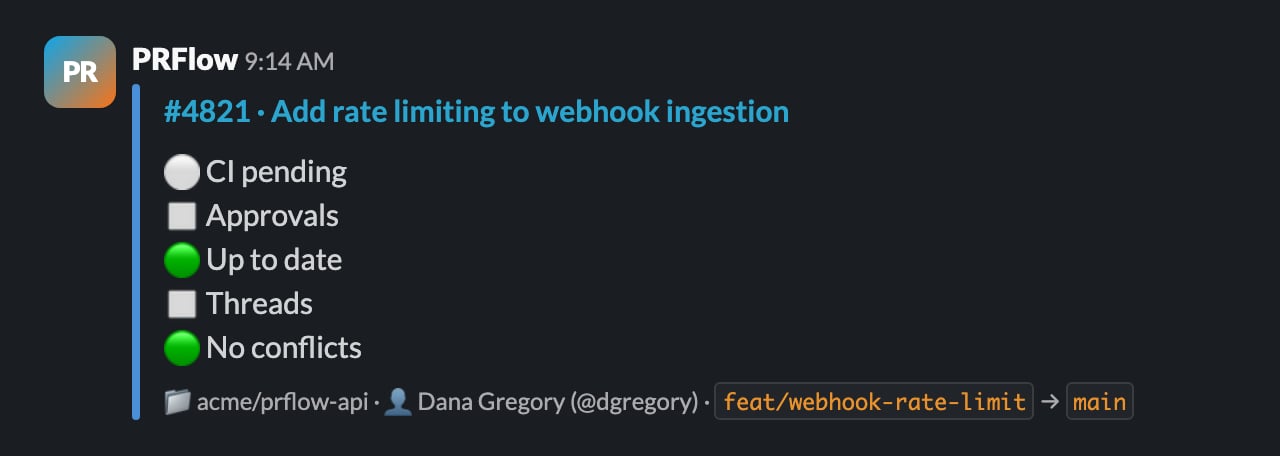
PRFlow Slack card with a blue rail: CI pending, approvals and threads unknown, up to date, no conflicts
The default state. Nothing is known to block the merge, but not every requirement is confirmed passing yet. A just-opened MR usually starts blue: the pipeline has not run and nobody has reviewed it. Rows showing ◻️ or ⚪ keep the card blue rather than green, because PRFlow never counts an unknown as a pass.

Amber: in flux

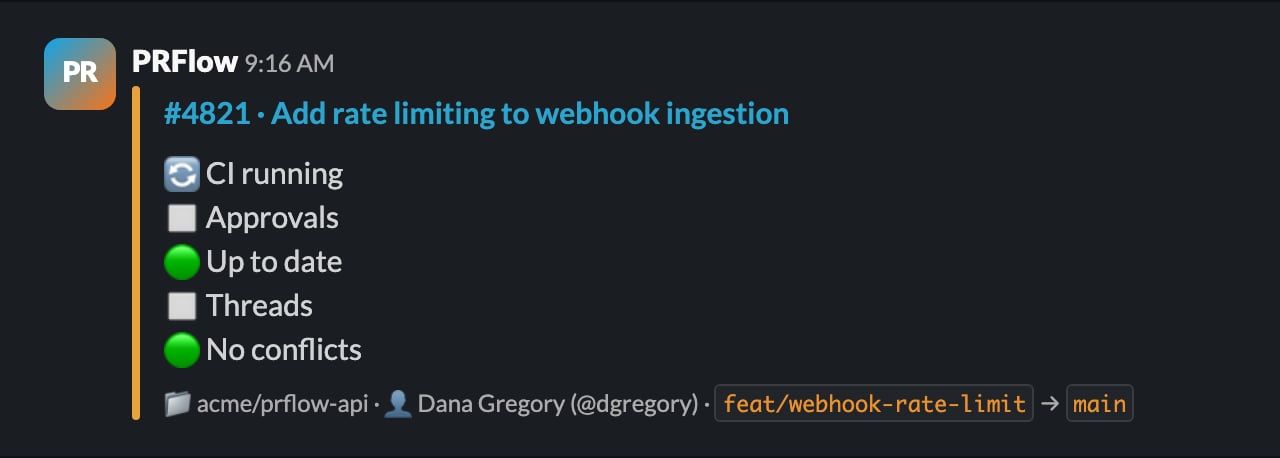
PRFlow Slack card with an amber rail: CI running, other requirements unchanged
The state is changing right now. The rail turns amber while the MR is a draft, while a pipeline is actively running, or while a merge is scheduled to happen automatically (for example “merge when pipeline succeeds”). Amber resolves itself: once the pipeline finishes or the draft is marked ready, the card moves to blue, red, or green.

Red: blocked

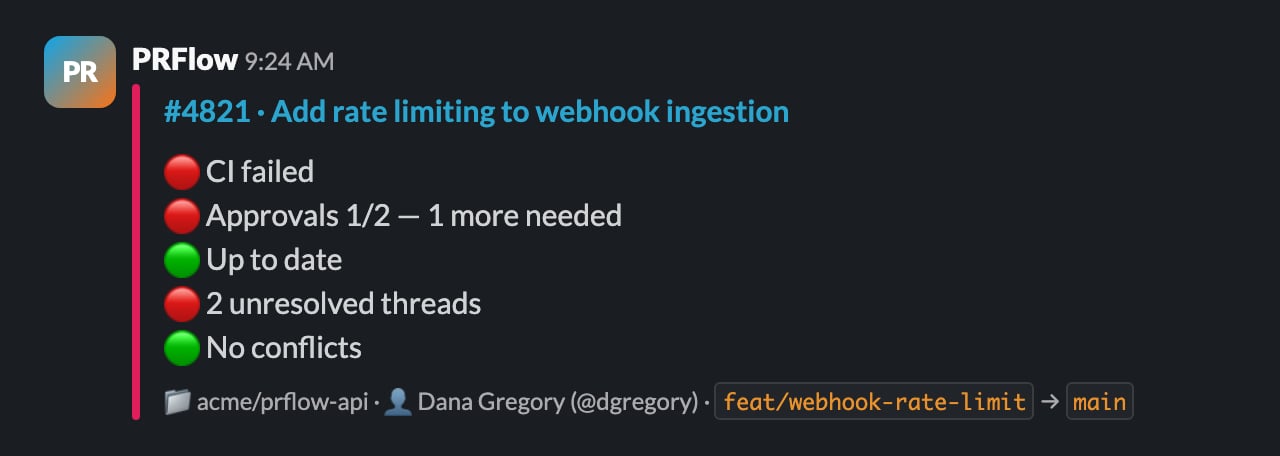
PRFlow Slack card with a red rail: CI failed, approvals 1/2, two unresolved threads
At least one required merge gate is failing. Failed or canceled CI, missing approvals, unresolved review threads, a branch that needs a rebase, and merge conflicts all turn the rail red, and the failing rows name exactly what is left to fix. Less common blockers (blocked by another MR, security policy violations, a missing Jira issue, and similar) also turn the rail red and appear as their own row. A failing gate that is not required, such as an optional pipeline, never turns the card red.

Green: ready to merge

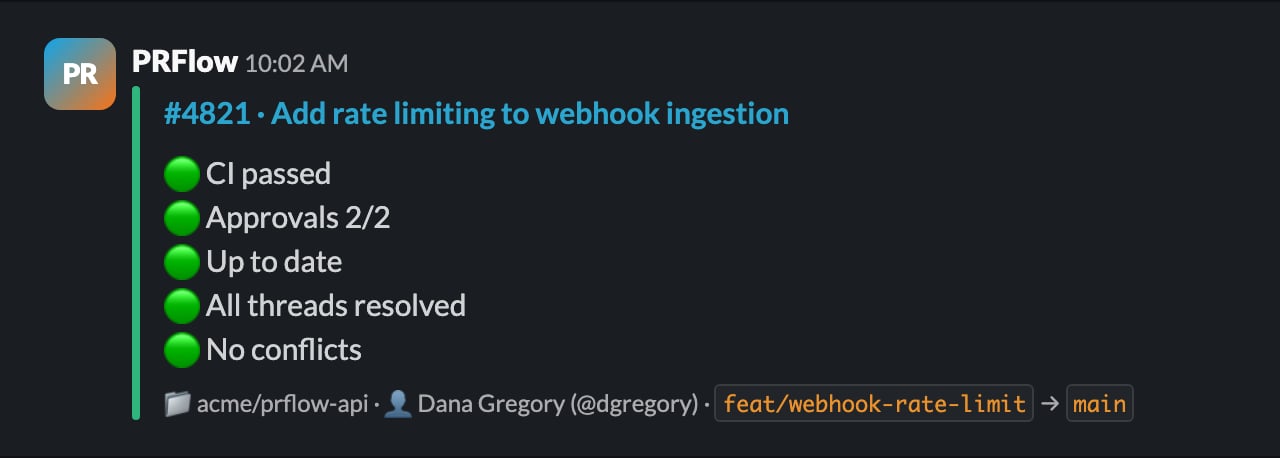
PRFlow Slack card with a green rail: CI passed, approvals 2/2, all threads resolved, up to date, no conflicts
Every required gate is confirmed passing: the MR is mergeable right now. Green is earned, never assumed. If any required gate is still unknown, the card stays blue instead of guessing.

Purple: merged

PRFlow Slack card with a purple rail: merged into main
The MR was merged. The requirement rows collapse into a single line naming the target branch, so the card becomes a compact record of the MR in the channel.

Grey: closed

PRFlow Slack card with a grey rail: closed
The MR was closed without being merged. Like merged, this is a terminal state: the rows collapse into a single ❌ Closed line.
Questions about a state you’re seeing? Email hello@prflow.dev.