

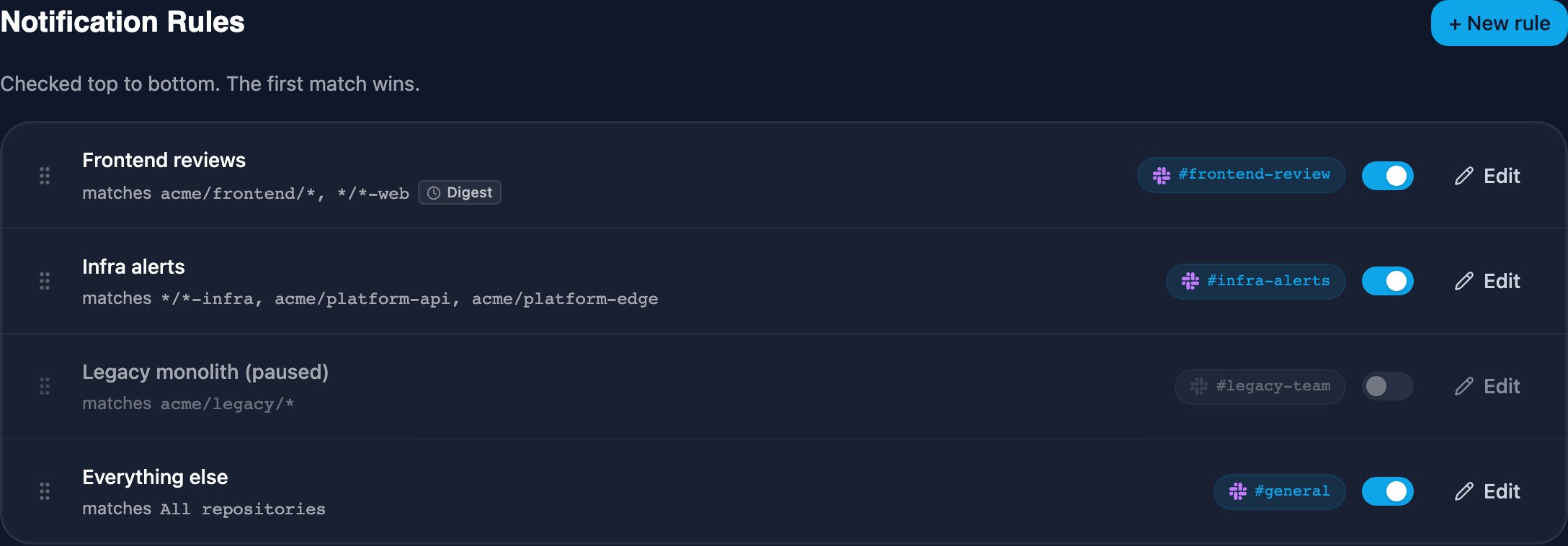
Creating a rule
Connect your source provider (GitLab or GitHub) and Slack first, then click + New rule on the dashboard.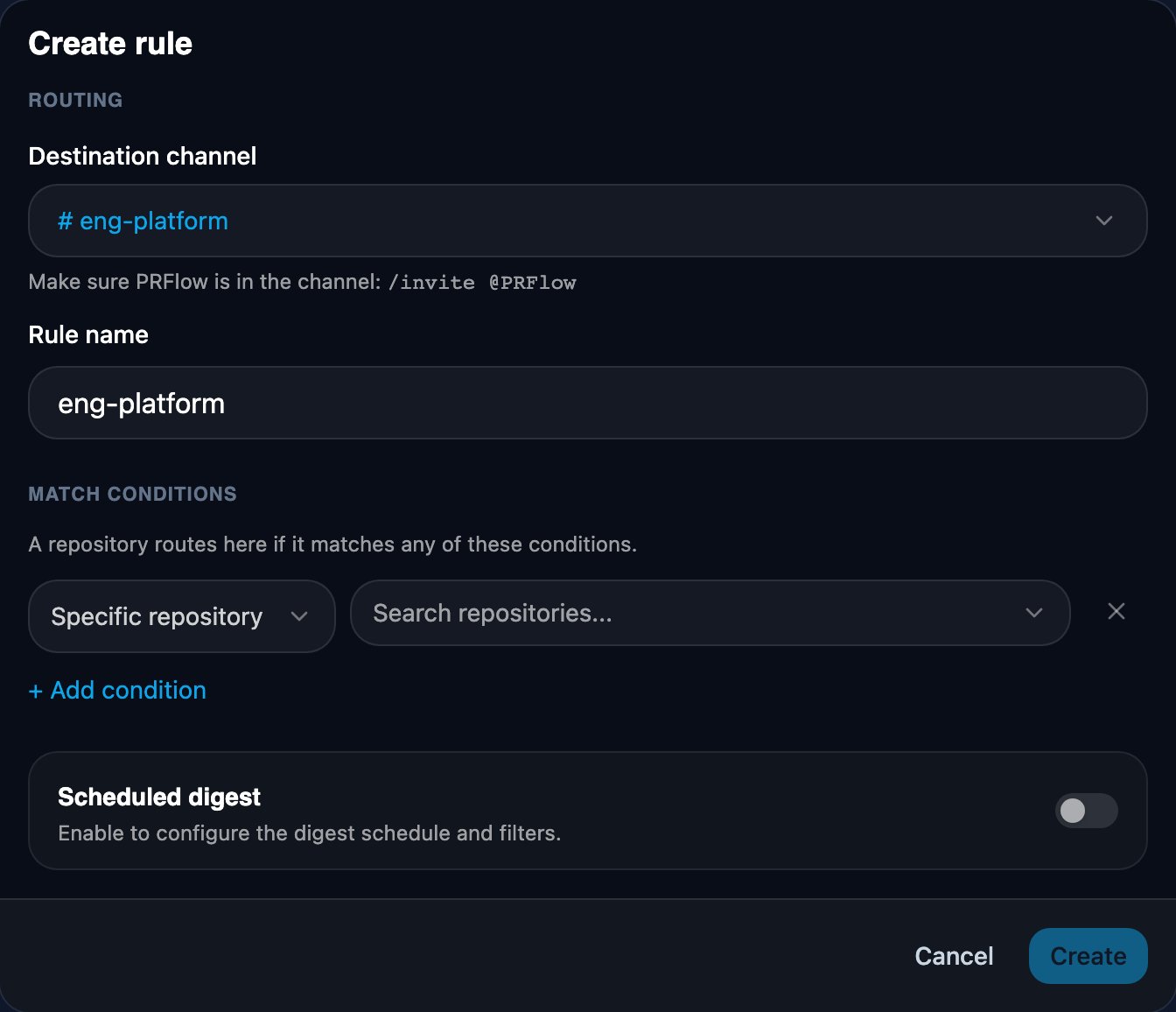
- Destination channel — where matched repositories post. Picking a channel
fills in the rule name for you; a name you type yourself is never
overwritten. Each channel belongs to at most one rule, so channels already
claimed show which rule routes them. PRFlow lists public channels plus
private channels it has been invited to — if a private channel is missing,
run
/invite @PRFlowin that channel on Slack, then reopen the editor. - Match conditions — a Specific repository condition is already open when the editor appears, and if PRFlow only knows about one repository it is pre-selected too, so picking a channel is the only decision left. Add more conditions with + Add condition; a repository routes to the rule if it matches any of its conditions.
- Notifications — the Draft PRs switch, off by default, makes the rule post drafts too: the card appears when a draft opens instead of when it is marked ready for review. Rules with it on show a Drafts chip in the rules list.
The three match types
- Specific repository — pick one or more repositories from the list. Matching is by the repository’s exact full name.
- Repository pattern — a wildcard expression.
*is the only wildcard and matches any run of characters, including/. The pattern must match the whole name; there is no substring matching (web-appalone matches nothing — write*/web-app). - All repositories — matches every repository. This is the catch-all you use for a fallback rule.
Patterns match different things on GitHub and GitLab
On GitHub, a pattern matches the bare repository name, without the owner: writepayments-* or *-service. A GitHub connection covers a single
owner, so the owner prefix carries no routing information — an owner-prefixed
pattern like your-org/* matches nothing on GitHub. To route every
repository, use an All repositories condition instead.
On GitLab, a pattern matches the full path including group and
subgroups: acme/frontend/* routes every project under the frontend
subgroup, and acme/*/web-app matches a project named web-app in any
subgroup.
Rule order: first match wins
Rules are checked top to bottom and the first match wins, so order is part of the configuration. Reorder by dragging a rule up or down by the grip handle on the left of its row (keyboard: focus the grip, Space to lift, arrow keys to move, Space to drop, Escape to cancel).- A Specific repository condition has no built-in priority: a pattern rule higher in the list takes a repository even if a rule below names it explicitly. To make a specific-repository rule win, drag it above the pattern.
- Keep the catch-all rule last — anything above it can never lose to it. Nothing enforces this, so the list warns with “Shadows every rule below” when an enabled catch-all sits above other enabled rules.
- A rule switched off is skipped entirely; the rules below it take over.