> ## Documentation Index
> Fetch the complete documentation index at: https://docs.prflow.dev/llms.txt
> Use this file to discover all available pages before exploring further.
# Channel routing
> Map repositories to Slack channels: pick which GitLab or GitHub repositories PRFlow watches and where each one posts.
PRFlow routes every notification through a mapping: a repository posts to one
Slack channel. Mappings are managed from the dashboard at
[app.prflow.dev](https://app.prflow.dev), and you can point several
repositories at the same channel.
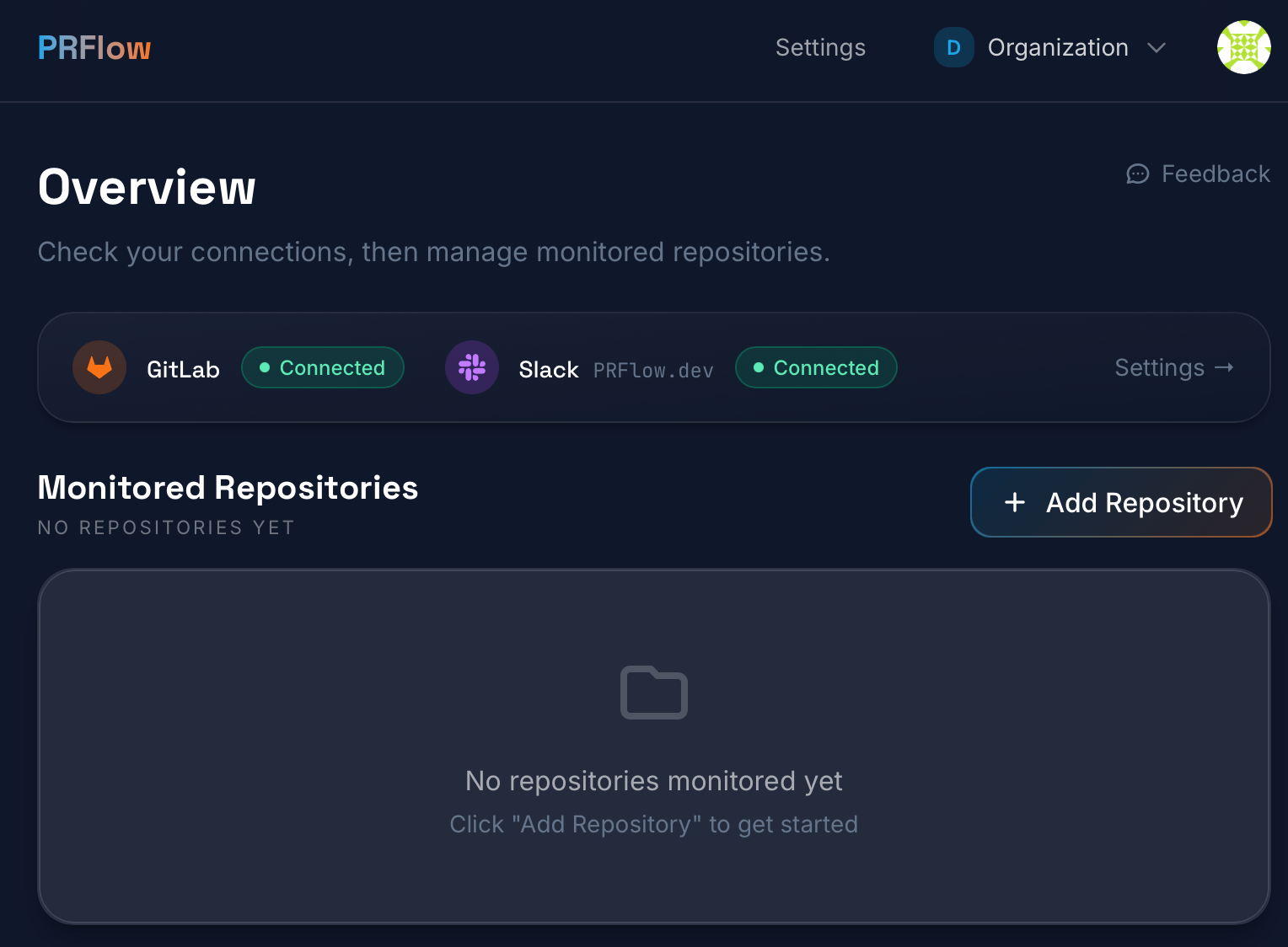
## 1. Click Add Repository
Connect your source provider (GitLab or GitHub) and Slack first; the
connections strip on the overview page shows their status. Once both are
connected, click **Add Repository**.
 ## 2. Select projects
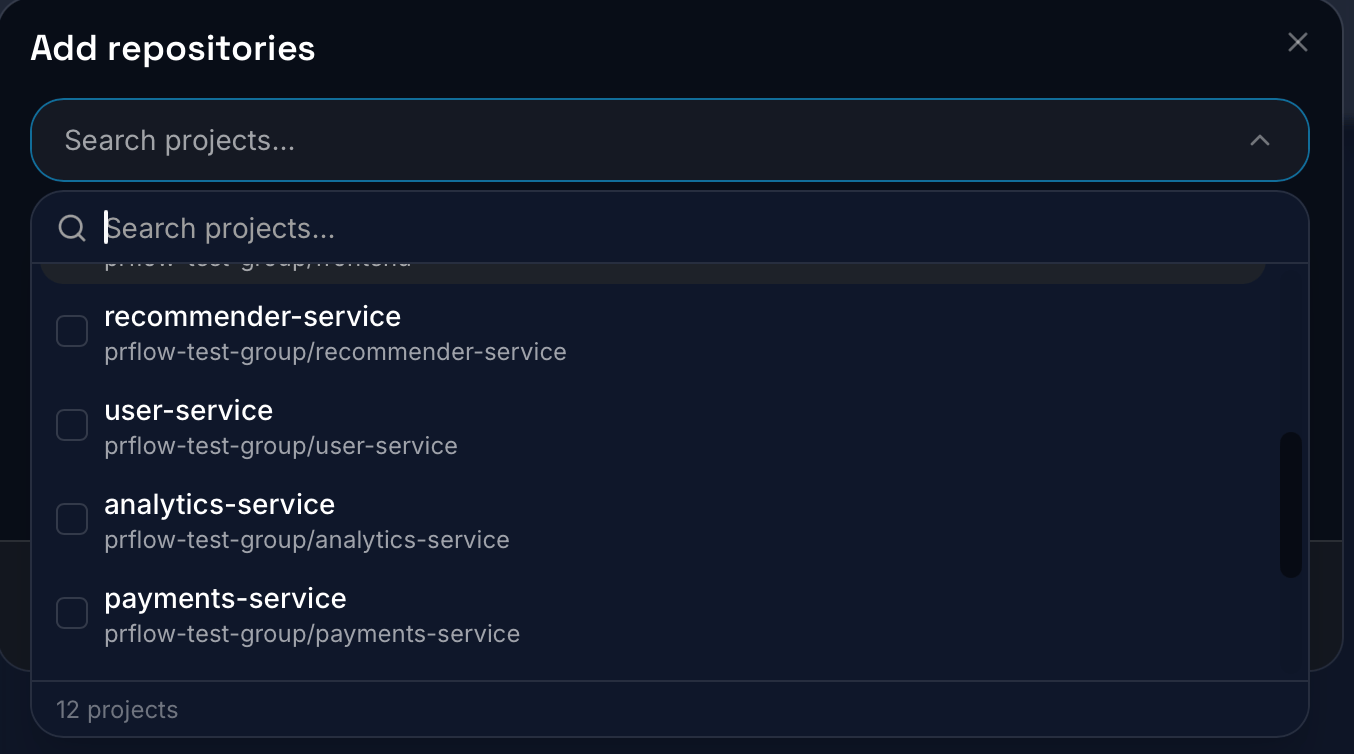
Search the list and tick the projects you want PRFlow to watch. The list
covers every project your connection can access and marks the ones already
mapped; you can select several at once.
## 2. Select projects
Search the list and tick the projects you want PRFlow to watch. The list
covers every project your connection can access and marks the ones already
mapped; you can select several at once.
 ## 3. Select a Slack channel
Pick the channel the selected projects will post to, then save.
## 3. Select a Slack channel
Pick the channel the selected projects will post to, then save.
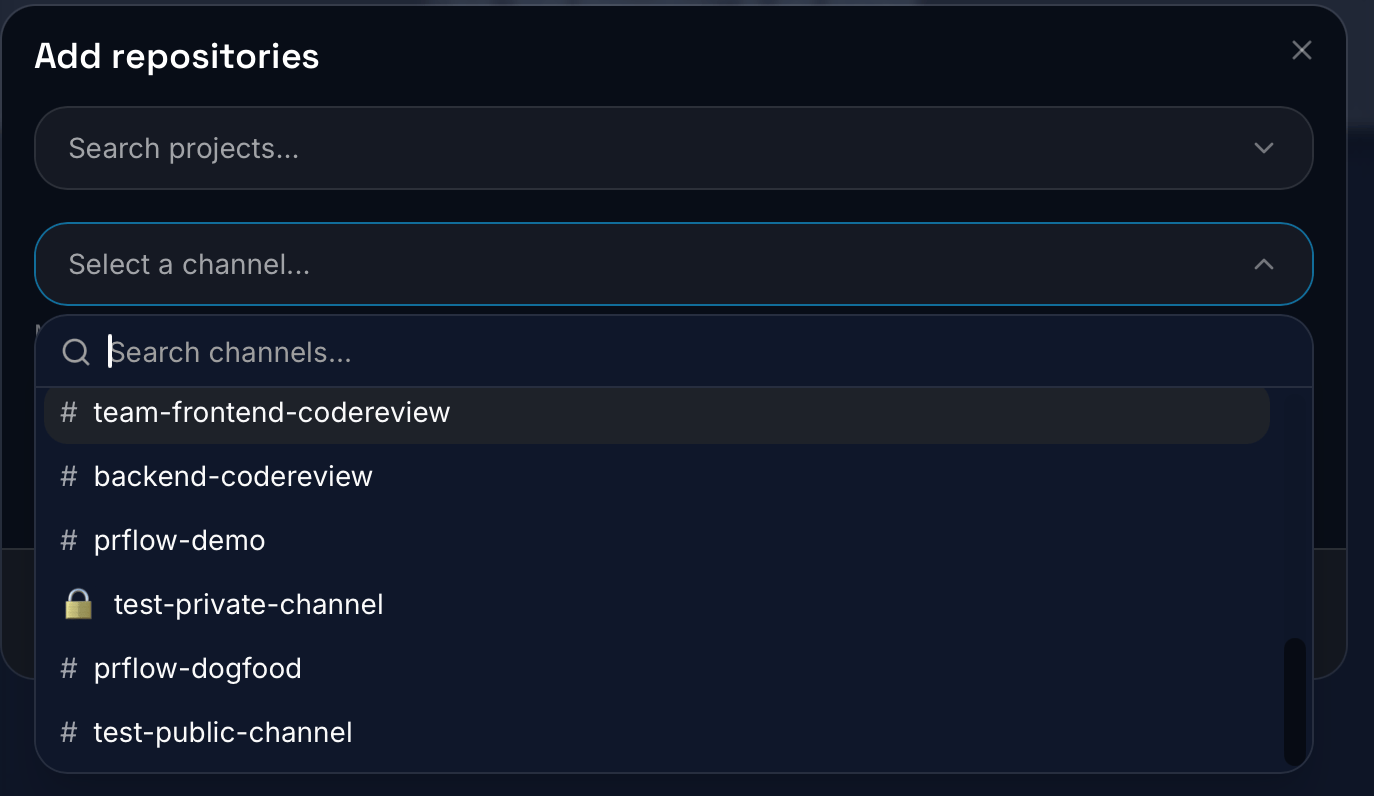 PRFlow lists public channels, plus private channels it has been added to. If
a private channel is missing, invite the bot from Slack with
`/invite @PRFlow`, then refresh the page.
That's it: new PR activity in the mapped repositories now posts to the
channel. To change a mapping later, click the repository's channel on the
dashboard; the same editor also holds the channel's
[scheduled digest](/pr-digest) settings.
PRFlow lists public channels, plus private channels it has been added to. If
a private channel is missing, invite the bot from Slack with
`/invite @PRFlow`, then refresh the page.
That's it: new PR activity in the mapped repositories now posts to the
channel. To change a mapping later, click the repository's channel on the
dashboard; the same editor also holds the channel's
[scheduled digest](/pr-digest) settings.